We like
We don't like
In partnership with Hearth Display. Editor’s Note: We only select and work with partners that meet our quality standards, so you can rest assured we only endorse products we believe in.
When I first had kids, I figured the giant paper calendar method we used when I was little would suffice. I resisted another screen in our home for scheduling – and then I started dropping the ball.
After a few too many family wires crossed, I began researching the best digital family calendars…and then I decided to use my parenting editor powers for good and relay all of my learnings to you.
Below, I’m diving deep on Hearth Display and Skylight, two of the internet’s top picks for getting your family’s life together.
Before you buy: the biggest question you should ask yourself is what your best case scenario is. That your family has visibility into everyone’s schedules? Or that everyone feels equipped to manage their to-dos? While they look similar, these calendars work towards different goals.
The Big Idea
Hearth Display: The ‘OG’ digital calendar, Hearth Display is about scheduling, sure, but the brand’s premise is much greater. The real differentiator is that Hearth expert-backed and was purpose-built for young children: their emotional development, habit formation, and growing independence. Hearth was built by moms and tested with real families and child development experts to create tools that actually work at home.
Skylight: Skylight's primary value proposition is more parent-facing: scheduling, meal planning, and household organization. They excel at these capabilities, but they are more focused on helping mom’s mental load (while Hearth really focuses on building capable kids while managing your mental load). The child’s experience is secondary to the parent’s experience, which is the inverse of how Hearth is built.
Product Features

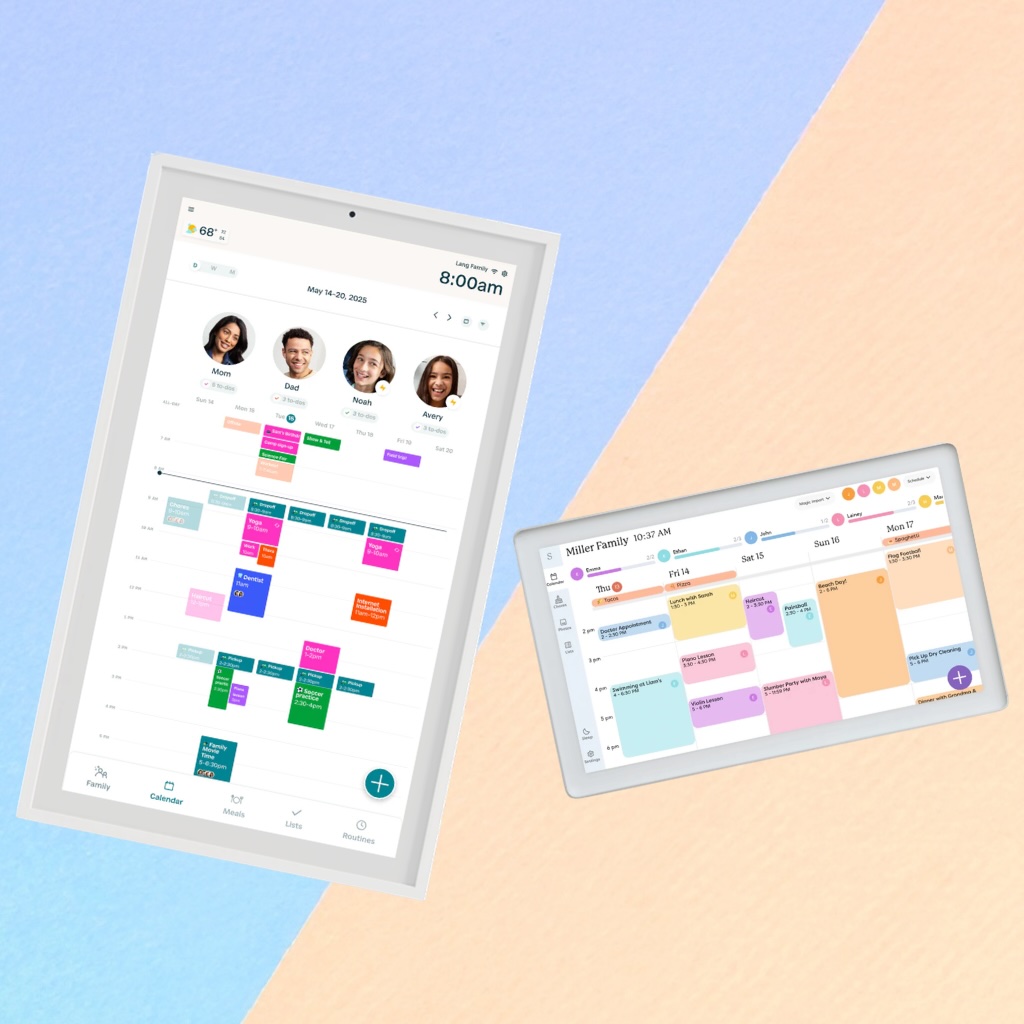
At a high level, both Hearth and Skylight cover the same core bases: a shared family calendar, chore/task management, and tools to keep everyone on the same page. You can sync calendars, assign responsibilities, and create a central place for your household to run.
Where they start to differ is in how those features actually show up in real life, especially if you have younger kids.
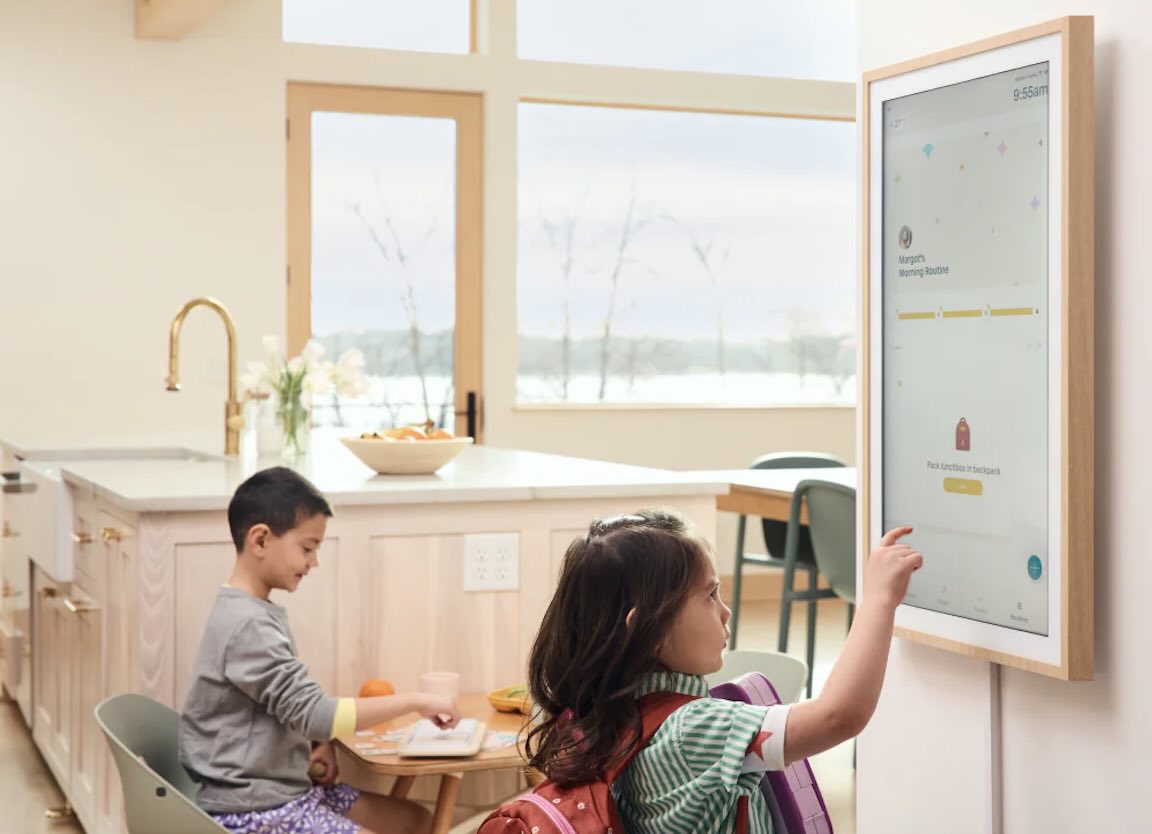
Hearth Display: Through the calendar (which syncs with whatever calendar you’re already using, Google, iCloud, etc.), you can build out routines for your kids that they’ll work through independently using icons and taps. The goal (and in my experience, the reality) is that your kid stops waiting to be told what to do next. That’s because everything is visual and tap-through, so even younger kids (or pre-readers) can follow along without help. There’s also a reward system where kids earn points for completing tasks (my daughter took this extremely seriously), and you can customize everything per child.
Another standout feature: the emotional check-ins. Kids can log how they’re feeling using simple emojis, and over time you get a better sense of patterns: how they’re doing, what might be off, what’s going well. It adds a layer that goes beyond logistics and transforms into actually understanding your kid a bit better day-to-day, which I didn’t expect from something that started as a calendar.
Design-wise, it's more aesthetic than you'd expect from a tech product and looks more this-was-made-for-my-home than this-is-a-classroom-accessory.
Skylight: Skylight also covers a lot of the same ground. It also syncs with your calendar and you can create chore charts, meal plans, and shared lists, making it a true hub for family logistics.
Where it differs is in how those features are experienced. Skylight is designed first and foremost for visibility. It’s incredibly effective at showing everything in one place that’s easy to read at a glance. The additional features (like chores or lists) are helpful, but they function more as tools you manage, rather than something your kids actively move through on their own.
Available in a few sizes depending on how much wall space you want to give it, it displays family photos when the calendar mode isn’t in use.
Winner: Hearth Display
Kid-Friendliness

Hearth Display: My little one took to Hearth Display in a way that surprised me. She liked checking things off (the apple doesn’t fall far from the tree) and was also quite serious about her rewards. While that was all well and good to start, I was most excited to see how she started to take responsibility for elements of her own routine.
She’s begun automatically bringing her plate to the sink after dinner, brushing her teeth when she wakes up, then meeting me at the dog bowl rather than having to be prompted for each element of her morning and evening routine. On top of that, I’m noticing a change in communication: she actually wants to share details about her day now, instead of just replying ‘good’ when I ask how it went.
Skylight: My kids could see the Skylight just fine, and then would still come and ask me about it anyway. It informs them, which is definitely a step up from where we were, but I wouldn’t credit this calendar with getting them to actually do much.
Part of that, I think, comes down to who the product is really designed for. Hearth feels like it was built with the child as the primary user. Everything is simple, visual, and easy for them to move through on their own. Skylight, on the other hand, feels more parent-first. It absolutely works as a family hub, but it requires more navigating and interpretation, which meant my kids weren’t naturally engaging with it in the same way.
Winner: Hearth Display
Longevity

Hearth Display: Hearth Display is intentionally made for the years that are the hardest, when kids are still forming habits and need real structure to build them. As your kiddos get older and more independent, though, the routine-and-reward piece matters less. (That’s kind of the point.) Once their habits and routines are automatic, it turns into a tool that offers visibility across the family’s schedules to each member. Simply put – and I know it’s a cliche, but it’s also true – it grows with you.
Skylight: A shared calendar doesn’t really age out, and it’s certainly helpful once your kids start having appointments and events of their own. It becomes more helpful as your life gets busier – the only real ‘downside’ is that it’s less helpful with habit-building in the early days.
Winner: Hearth Display
Price
Hearth Display: To keep it completely honest: Hearth Display is an investment. And it earns it. The device itself typically lands around the $700 mark, and to unlock what makes it actually work (routines, rewards, task tracking), you'll need the membership, which runs about $9/month. I’m the type who measures things on a cost per wear basis, so putting this into that same framework, the cost per use of this thing makes it entirely worth the investment. It’s one of the few things that's actually changed how our days run, and I plan to use it for years to come.
Skylight: If you’re comparing like-for-like larger displays, Skylight lands in the $500+ range, depending on the size you choose. There’s also an optional subscription (around $79/year) that unlocks extras like meal planning and AI features, though you don’t need it for the core calendar functionality.
That said, Skylight does offer smaller, more affordable models starting closer to $200, which lowers the barrier to entry if you’re just looking for a simple shared calendar.
Winner: Skylight for price alone; Hearth Display for value.
My Verdict: I’m sticking with Hearth Display.
Skylight made our schedule easier to see, but Hearth Display actually made our days easier to run. And in this season of life, with younger kids and a million moving parts, that’s what matters to me.
I’m prompting less, my daughter’s taking more ownership, and the little things (teeth brushing, backpacks, clearing plates) are happening with far less friction. It’s not perfect, but I’m seeing progress, and that’s a huge deal! It’s more of an investment, but for us, it’s earning its keep daily.
With that in mind, every family is different! Here’s how I’d think about buying:
Go with Hearth Display if:
- You have younger kids and want to build real routines (not just talk about them)
- You’re tired of micromanaging every part of the day
- You’re picky about home design and the ambiance of your space
- You like the idea of your kids having some ownership over their responsibilities
- You want to support your child's emotional well-being, not just their schedule
Go with Skylight if:
- Your main pain point is scheduling chaos
- You’re more price sensitive